> For the complete documentation index, see [llms.txt](https://help.fungies.io/llms.txt). Markdown versions of documentation pages are available by appending `.md` to page URLs; this page is available as [Markdown](https://help.fungies.io/workspace-verification.md).
# Workspace Verification
### Why Fungies.io Verifies Your Business
Fungies.io is a **Merchant of Record (MoR)** platform — meaning we legally stand between you and your customers as the seller of record. When a buyer purchases your product, Fungies processes the payment, handles tax compliance, and takes on liability for the transaction. This is fundamentally different from a standard payment gateway.
Because of this responsibility, **every business must be verified before it can start selling.** Here's why:
* **Fraud prevention** — Unverified stores are the primary vector for payment fraud, money laundering, and card abuse. As your MoR, Fungies is liable for any fraudulent transactions that pass through our platform.
* **Card network compliance** — Visa, Mastercard, and other networks require MoRs to perform KYB (Know Your Business) checks on all merchants. Without this, we risk losing our ability to process payments entirely.
* **Chargeback protection** — Understanding your business model upfront lets us detect suspicious activity early and protect both you and your customers from disputes.
* **Tax and regulatory compliance** — As your MoR, we collect and remit taxes on your behalf globally. We need to understand what you're selling to apply the correct tax rules.
Once your activation request is submitted, **our team reviews and approves your store within 24 hours.**
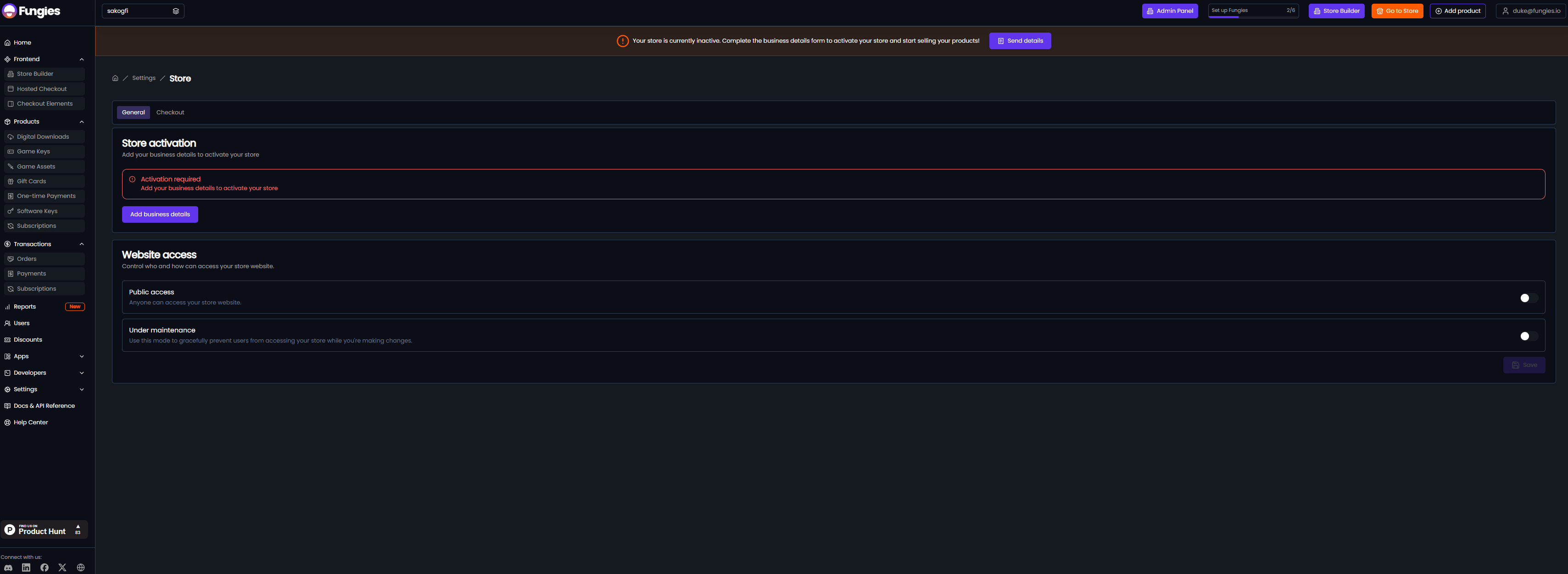
By default - all workspaces are deactivated - you can't sell anything.
### How to Complete the Store Activation Form
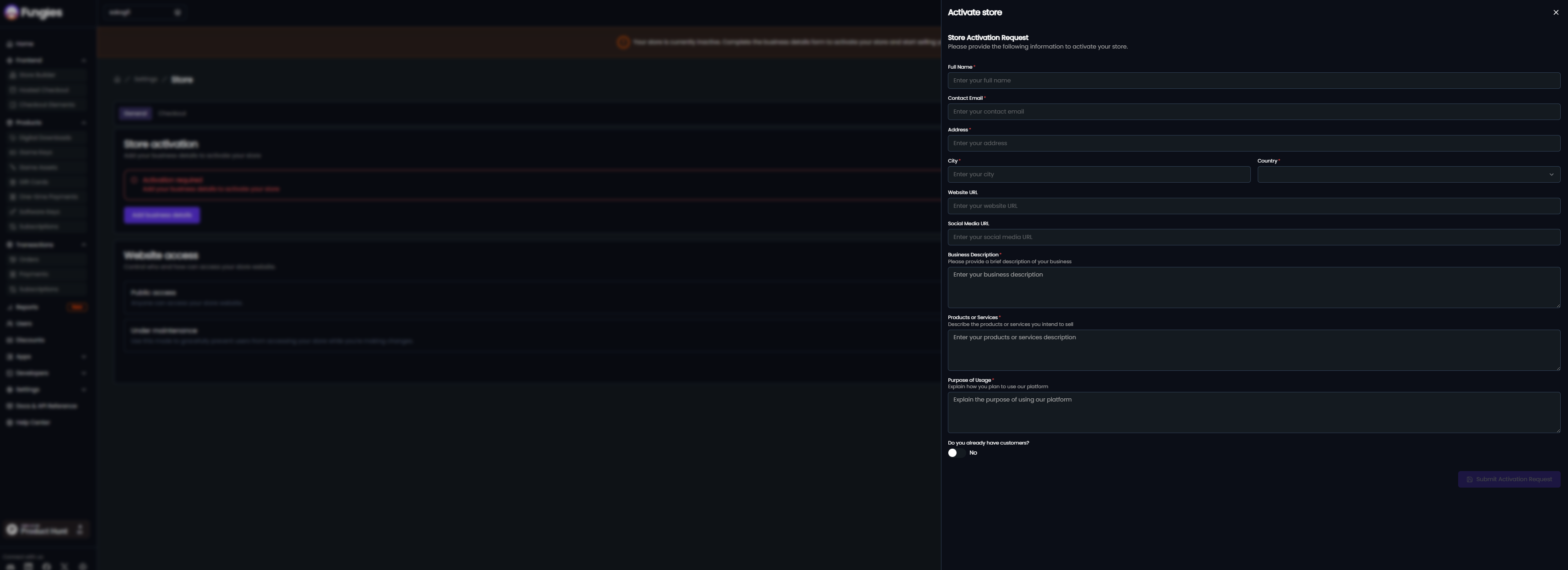
Navigate to **Settings → Store** and click **"Add Business Details"** to open the Store Activation Request form. Fill in each field as follows:
#### Full Name
Your legal full name as the business owner or authorized representative. This is used for identity verification and contract purposes.
#### Contact Email
The primary email address for your account. This is where Fungies will send activation status updates, compliance notices, and billing communications. Use a business email if possible.
#### Address
Your registered business address (or personal address if you're a sole trader/individual). This must match your official business registration documents.
#### City & Country
The city and country where your business is legally registered. This determines applicable tax rules and regulatory jurisdiction under which Fungies processes payments on your behalf.
#### Website URL
The URL of the website or product where you plan to sell. Our team will review this to confirm your product is live (or near-launch), understand your customer base, and verify that your business model complies with our acceptable use policy.
#### Social Media URL
A link to your business's social media profile (LinkedIn, Twitter/X, Facebook, etc.). This helps us verify your brand's legitimacy and online presence — an important signal in our fraud screening process.
#### Business Description
A concise overview of your company — what you do, who your customers are, and how long you've been operating. Think of this as your elevator pitch to our compliance team. Be clear and specific.
#### Products or Services
Describe exactly what you intend to sell through Fungies. Include product type (SaaS, digital goods, templates, plugins, etc.), pricing model (one-time, subscription, usage-based), and your target market. This information is critical for tax classification and risk assessment.
#### Purpose of Usage
Explain why you're using Fungies specifically as your MoR. For example: *"We need global payment processing with automatic tax handling for our SaaS product sold to customers in the US and EU."* This helps our team understand your use case and configure your account appropriately.
#### Do You Already Have Customers?
Select **Yes** or **No** to indicate whether you have an existing customer base. This helps us assess payment volume expectations and prioritize your review accordingly.
Fill out your business details in order to get activated.
### What Happens After You Submit
1. **Submission** — Your request is logged and assigned to our compliance team immediately.
2. **Review** — We verify your business details, check your website, and screen against fraud and sanctions databases. This takes up to **24 hours**.
3. **Activation** — Once approved, your store is activated and you can begin accepting payments through Fungies.
4. **Rejection or Follow-up** — If we need more information or cannot approve your application, we'll reach out via your contact email with next steps.